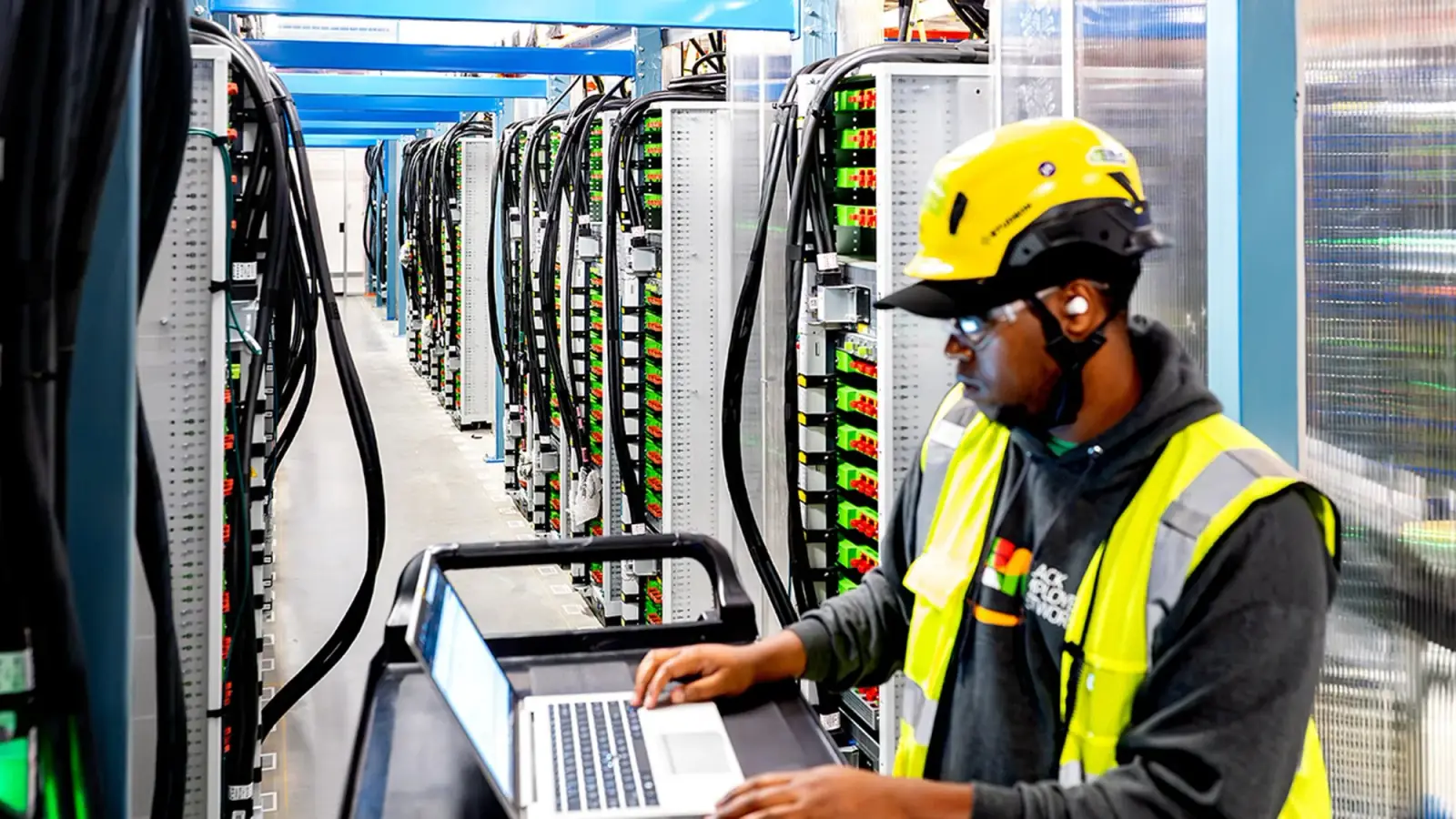
Every time you open a website, send an email, make a mobile money transfer, or stream a video, a server somewhere is doing the work. Servers are the invisible machines behind every digital service you have ever used. They are the reason Google can find your search results in milliseconds, the reason M-Pesa can process your payment instantly, and the reason Netflix can start playing a movie within seconds of you clicking play. Yet most people who depend on servers every day have never seen one and could not describe what one actually is.
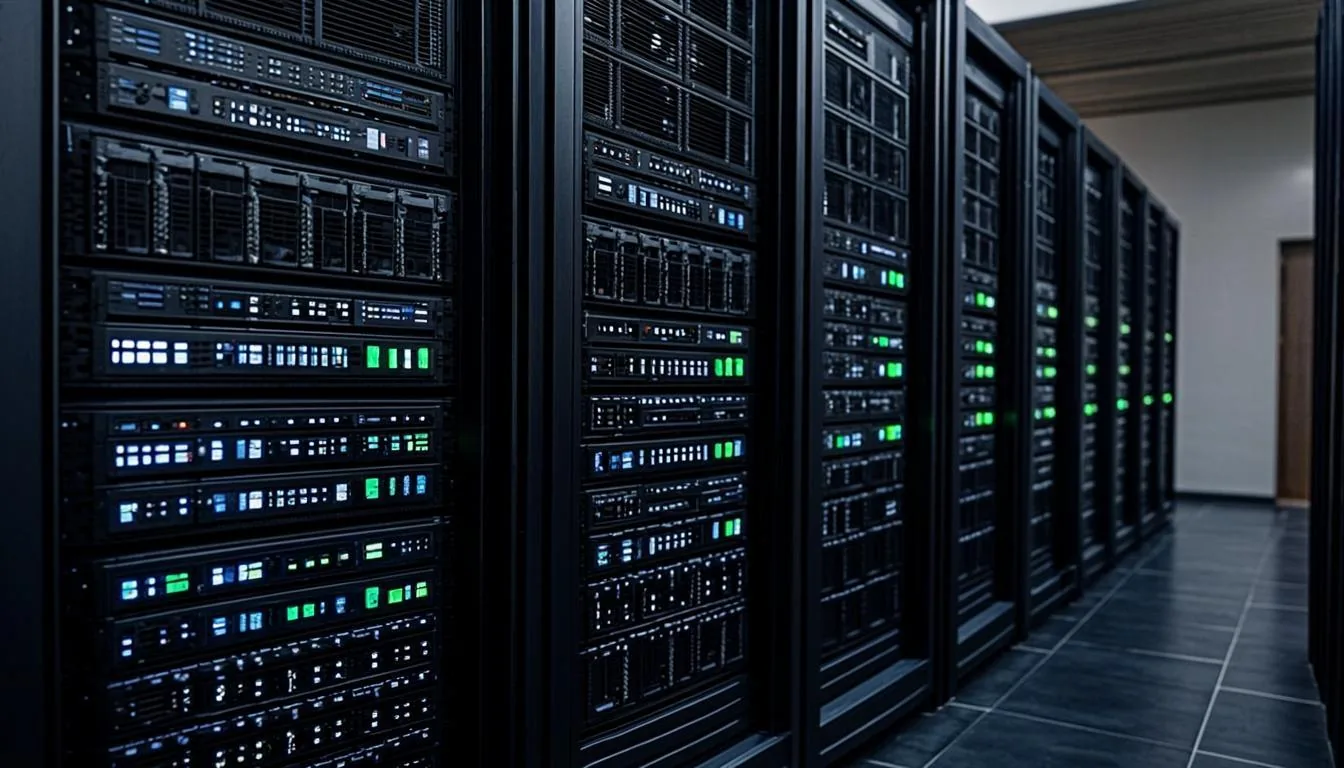
A server is, at its most fundamental level, a computer that provides services to other computers. The word "server" refers not to a specific type of hardware but to a role: a computer that serves. Any computer can be a server if it is running software that provides services to other computers over a network. Your laptop could be a server if you ran web server software on it and other computers connected to it to view web pages. In practice, however, when people say "server" they mean a purpose-built computer designed specifically for the demands of providing services reliably, continuously, and at scale.
What Makes a Server Different from a Regular Computer
Servers and regular computers (desktops, laptops) share the same fundamental architecture. Both have processors (CPUs), memory (RAM), storage (hard drives or SSDs), network interfaces, and power supplies. Both run operating systems. Both execute software. The differences are in the design priorities: servers are optimised for reliability, performance, and manageability, while regular computers are optimised for individual usability and cost.
Reliability: Built to Run Forever
A regular laptop is designed to be used for 3-5 years, turned on and off daily, and carried around in a bag. A server is designed to run continuously for 5-10 years or more without being turned off. This difference in design intent manifests in every component.
Servers use ECC memory (Error-Correcting Code RAM), which can detect and correct single-bit memory errors that would cause a regular computer to crash. In a server running 24/7 processing thousands of transactions per second, a memory error could corrupt a database or drop an ongoing transaction. ECC memory prevents this, adding a layer of reliability that standard desktop memory does not provide.
Servers have redundant power supplies, two or more power supply units (PSUs) in each server, each capable of powering the entire server independently. If one PSU fails, the other takes over seamlessly. This is why servers connected to data centre power systems (which already have redundant power paths) can achieve near-perfect uptime, there are multiple layers of redundancy between the grid and the processor.
Servers use hot-swappable components, drives, fans, and even power supplies can be replaced while the server is running, without shutting it down. In a data centre environment, shutting down a server to replace a failed drive would disrupt services. Hot-swap capability means a technician can slide out a failed drive and slide in a replacement while the server continues operating.
Form Factor: Designed for Density
Servers are designed to be mounted in standard 19-inch equipment racks. The most common form factor is the rack server (also called a 1U or 2U server), which is a flat, rectangular box that slides into a rack like a book into a bookshelf. The "U" stands for "rack unit", 1U is 44.45 millimetres (1.75 inches) tall. A standard 42U rack can hold 42 1U servers, though in practice, airflow and power requirements mean most racks hold 10-20 servers with space between them.
The density of rack servers is remarkable. A single 42U rack, occupying less than half a square metre of floor space, can contain 20-40 servers, each one a powerful computer in its own right. A data centre hall with 200 racks can house 4,000-8,000 individual servers, processing millions of transactions per second for hundreds of different customers.
Other server form factors include blade servers (compact server modules that slot into a chassis that provides shared power, cooling, and networking) and tower servers (standalone units that look like large desktop computers, typically used in small offices rather than data centres).
Performance: Optimised for Workloads
Server processors are designed differently from desktop processors. While a desktop CPU is optimised for single-threaded performance (making one task run as fast as possible), server CPUs are optimised for multi-threaded performance (handling many tasks simultaneously). A modern server processor may have 32, 64, or even 128 cores, allowing it to run hundreds of virtual machines or handle thousands of concurrent requests.
Server memory is designed for capacity and reliability rather than speed. A typical server supports 256GB to 4 terabytes of RAM (compared to 8-32GB in a typical desktop), using ECC memory modules that can detect and correct errors. Server storage uses enterprise-grade SSDs and hard drives designed for 24/7 operation and higher write endurance than consumer drives.
Types of Servers
Web Servers
A web server receives HTTP requests from browsers (like the one you are using now) and responds with web pages, images, and other content. When you visit datacentre254.com, your browser sends a request to a web server, which finds the page and sends it back. Popular web server software includes Nginx, Apache, and Microsoft IIS. A busy web server can handle thousands of requests per second.
Database Servers
Database servers store, organise, and retrieve structured data. Every time you check your bank balance, search for a product on Jumia, or look up a contact on your phone, a database server is querying a database to find and return the relevant information. Database servers are typically the most resource-hungry type, requiring fast processors, large amounts of memory (to cache frequently accessed data), and fast storage (to read and write data quickly). Major database software includes PostgreSQL, MySQL, Microsoft SQL Server, and Oracle Database.
Application Servers
Application servers run the business logic of applications, the code that processes requests, applies business rules, and coordinates between web servers and databases. When you submit a loan application on a bank's website, the web server receives the form, the application server processes it (checking credit scores, calculating terms, applying rules), and the database server stores the result.
Virtualisation Hosts
In modern data centres, physical servers are rarely dedicated to a single application. Instead, virtualisation software (like VMware ESXi, Proxmox, or KVM) runs on the physical server and creates multiple virtual machines (VMs), each behaving like an independent server with its own operating system and applications. A single powerful physical server might run 10-50 virtual machines, each serving a different customer or application. This dramatically improves hardware utilisation and flexibility.
File and Storage Servers
File servers provide shared storage accessible over a network. They allow multiple users and applications to store and retrieve files from a central location. In enterprise environments, file servers have been largely replaced by storage area networks (SANs) and network-attached storage (NAS) systems, which provide more sophisticated storage management, redundancy, and performance.
What Is Inside a Modern Server
Open a modern 1U rack server and you will find a remarkably tightly packed arrangement of components. At the front, a row of hot-swappable drive bays (typically 2-8 drives) allows storage to be replaced without opening the case. Behind the drives, the motherboard holds the CPU(s), RAM slots, and expansion card slots. Cooling fans (typically 4-8 small, high-speed fans) pull air through the server from front to back, exhausting hot air out the rear. At the rear, you will find network ports (typically 2-4 Ethernet ports), management ports (for remote administration), and the power supply connections.
A typical modern rack server for enterprise workloads might have two processors (each with 32-64 cores), 256GB-1TB of RAM, 4-8 SSDs or hard drives, and 2-4 network connections. It consumes 300-800 watts of power, generates significant heat, and costs between KES 400,000 and KES 2,000,000 depending on the specification.
Why Servers Live in Data Centres
As explained in our data centre guide, servers need a specific environment to operate reliably: stable power, precise cooling, physical security, fire protection, and high-speed network connectivity. A server sitting under a desk in an office might work for a small business, but it will not provide the reliability, security, or performance that a data centre environment delivers.
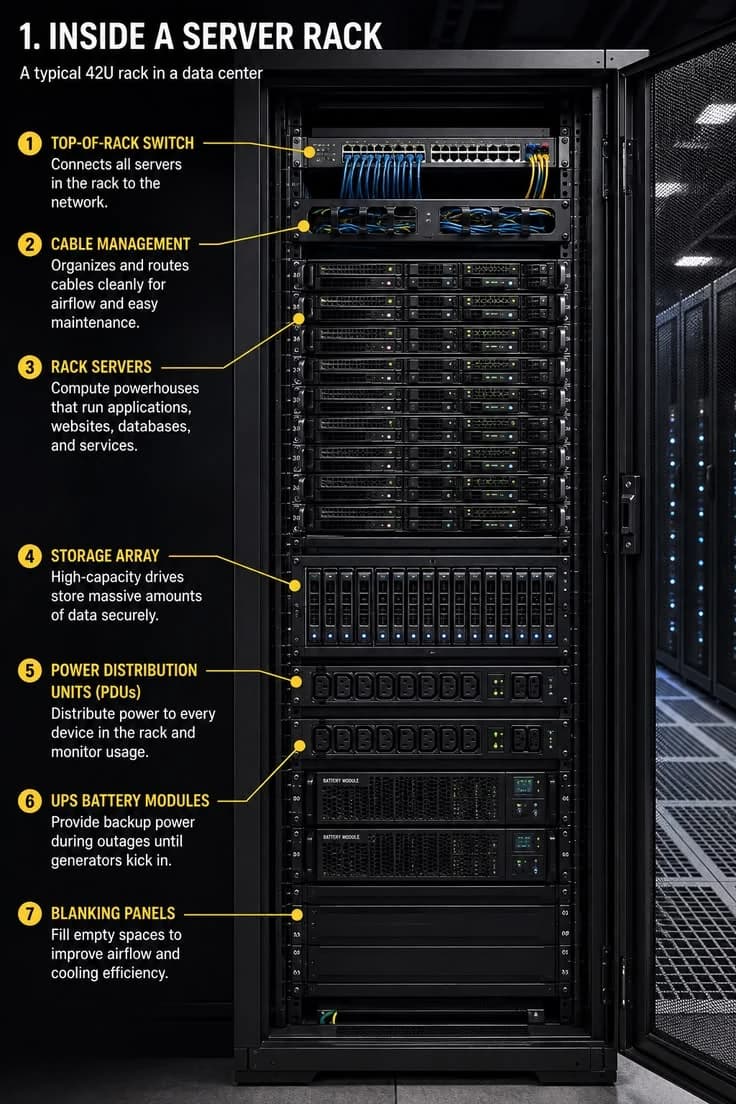
Data centres exist because the collective needs of thousands of servers (for power, cooling, connectivity, and security) are best met by purpose-built facilities with dedicated infrastructure and expert staff. Every server you interact with online lives in a data centre, and understanding what servers are and how they work is the first step to understanding the entire digital infrastructure ecosystem that powers Kenya's economy.